


YouTube
3.82.99M Reviews
App Specs
- Version
- Varies with Device
- Updated On
- License
- Free
- Downloads
- 10,000,000,000+
- Developer
- Google LLC
- Categories
- Video Players & Editors
- Platform
- Android, iOS
Screenshots
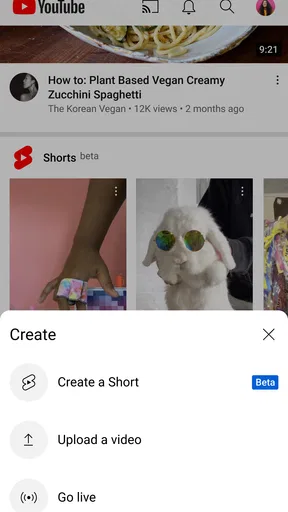



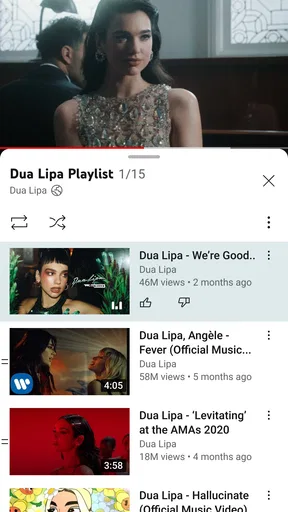
 Analysis by AppCompare
Ever found yourself lost in the endless sea of videos, tutorials, and random cat clips? Well, that's pretty much a day in the life of anyone using YouTube. Let me take you on a little journey through my experience with this app, as a fellow video enthusiast.
Getting Started with YouTube
First things first, downloading the YouTube app is as straightforward as it gets. Whether you're on Android or iOS, a couple of taps and you're in. Once you open it, the interface is like a warm hug from an old friend. The familiar red and white theme, the search bar just begging you to type in something quirky—it’s all there.
Exploring Features
Now, let’s dive into the features. The home page is customized based on your viewing history. So, if you’ve been on a baking spree, expect a flood of cake-decorating tutorials. The “Trending” tab? It's like peeking into the hive mind of the internet. From viral challenges to breaking news, it’s got everything.
Guides and Analysis on YouTube
The app's search functionality is top-notch. Type in a few keywords, and voilà, you're presented with a goldmine of content. And can we take a moment to appreciate the recommendation algorithm? It’s almost eerie how well it knows what I want to watch next.
Subscription and Notifications
Subscribing to channels is a breeze, and trust me, it’s a lifesaver for keeping up with your favorite creators. The notification bell ensures you never miss an upload. It’s like having a personal assistant that’s all about your video preferences.
Video Playback Experience
Playback is smooth as butter. Whether you're watching on your phone or casting to a TV, the quality is consistently solid. The app supports resolutions up to 4K, if your device is up for it. And the best part? You can now download videos for offline viewing. Perfect for those times when you’re stuck without Wi-Fi.
One of the cool features is the ability to create playlists. I’ve got one for workouts, one for cooking, and yes, a guilty pleasure playlist filled with reality TV clips. It’s all about customization.
Worth Reading Before You Choose

Baby Panda World Brings Quick Play to Modern Phones, but Its Game Library Feels Busy

ESPN’s Live Game View Makes Following Close Games Easier

QuizzLand Review: A Good Fit for Short Trivia Breaks, Not Every Player

Basketball Stars: Multiplayer Is Fast, but Can It Recover When Matches Go Wrong?

WEBTOON Turns Phone Updates Into a Better Reading Routine

Link to Windows Runs on Shared Habits, Not Social Feeds
The Community Aspect
YouTube isn't just about watching videos. The comments section is a whole universe in itself. From insightful discussions to hilarious memes, it’s a place where viewers connect. Just remember, with great commenting power comes great responsibility!
Let’s not forget the community posts and stories from creators. It adds a personal touch, giving fans a peek into their favorite YouTubers' lives beyond the videos.
Final Thoughts
So, is YouTube worth your time? Absolutely. Whether you’re looking to educate yourself, entertain yourself, or just pass the time, this app has it all. It’s user-friendly, packed with features, and constantly evolving. Dive in, explore, and let yourself get lost in the world of YouTube. Happy watching!
Pros
- Wide variety of content available.
- Easy to use interface for all ages.
- Regular updates with new features.
- Offline download option for premium users.
- High-quality video streaming available.
Cons
- Ads can be intrusive without premium.
- Content moderation can be inconsistent.
- Some features require a subscription.
- Data usage can be high for streaming.
- App can drain battery quickly.
FAQs for YouTube
What is the main purpose of the YouTube app?
The YouTube app is designed to provide users with access to a vast library of videos across various genres, including entertainment, education, music, and more. It allows users to watch, upload, and share videos, as well as interact with content through comments, likes, and subscriptions to channels.
Is YouTube free to use, or are there any costs involved?
YouTube is free to use, allowing users to watch videos at no cost. However, it offers a premium subscription called YouTube Premium, which provides an ad-free experience, offline downloads, and access to YouTube Music for a monthly fee. The app itself is free to download on both Android and iOS.
Can I upload my own videos using the YouTube app?
Yes, the YouTube app allows users to upload their own videos directly from their mobile devices. Users need to have a Google account to upload content, and they can customize their video's privacy settings, add descriptions, and use basic editing tools before publishing the video to their channel.
How does YouTube handle inappropriate content?
YouTube has strict community guidelines and uses a combination of automated tools and human reviewers to monitor content. Users can report inappropriate videos, which are then reviewed for potential violations. YouTube also offers parental controls and restricted modes to help filter content for younger audiences.
What are the key features of YouTube Premium?
YouTube Premium offers several features for an enhanced viewing experience. Subscribers enjoy ad-free videos, the ability to download videos for offline viewing, and access to YouTube Originals. It also includes YouTube Music Premium, which allows ad-free music streaming and offline listening. This subscription is available for a monthly fee.


